
 CAD
CAD
 USD
USD
 EUR
EUR
Image to pixel art converter
Turn any photo into pixel art free. Pixelate your image with real pixel math, apply retro palettes like Pico-8 and Sweetie 16, then download PNG up to 20x, true SVG, or an animated PNG. No watermarks, no signup.
Upload image
Drop in a photo, get pixel art
This free pixel art converter pixelates your image instantly, then pick your palette, pixel size, and shapes.
or drop a file, or paste from your clipboard
JPG, PNG, WebP, and GIF. Your image never leaves your browser.
Adjust
Pixel art effects
Grid
Download
What is an image to pixel art converter
An image to pixel art converter turns a photo into pixel art by averaging the image into a grid of larger blocks, then locking those blocks to a fixed set of colors for that classic 8-bit look. It is the fastest way to go from photo to pixel art without installing anything. This one does it with real pixel math, not AI, so the result is exact, deterministic, and yours to use anywhere, including commercially. Cut out your subject first with the background remover, build a colorway with the color palette generator, or go full 1-bit with the bitmap maker. When it is ready, send your art to the sticker maker or print it on custom stickers and business cards.
Frequently asked questions
Upload any JPG, PNG, WebP, or GIF and the converter pixelates it instantly. Drag the pixel size slider to set how chunky the blocks are, pick a palette from the strip above the preview or keep the original colors, fine tune brightness, contrast, and saturation, then download your pixel art as a PNG, SVG, or animated PNG.
Yes. Converting and downloading is completely free with no watermark, no signup, and no limit on how many images you convert. The conversion runs in your browser, so your photo never leaves your device.
No, and that is deliberate. AI generators redraw your image and invent details, so the result is unpredictable and can drift from your original. This tool uses real pixel math, averaging your image into an exact grid and mapping each cell to a palette color, so the output is faithful to your photo, identical every time you run it, and never trained on or generated from anyone else's work.
Yes. You keep full rights to what you create here, and Jukebox claims no ownership over your converted images, so you can sell them, print them, or use them in client work and games. Just make sure you have the rights to the photo you upload in the first place.
Most game sprites live between 16x16 and 64x64, with 32x32 the sweet spot for characters and 16x16 the classic for items and tiles. Raise the pixel size until the readout above the preview shows the grid you want, then use the Pixels download, which saves exactly one image pixel per art pixel, the format game engines and sprite sheets expect.
Normal resize tools blend neighboring pixels to smooth photos, which turns crisp blocks into mush. Pixel art needs nearest neighbor scaling in whole number steps, which is exactly what the upscale menu here does. Every download from 1x to 20x is an exact integer enlargement, so each block stays a perfect sharp square at any size.
A PNG blurs when scaled past its size, but the SVG download rebuilds every pixel of your art as a true vector shape, so it stays razor sharp at any dimension, from a sticker to a wall mural. It also works with cutting machines, plotters, and laser engravers.
Yes. Upload a PNG with transparency and the converter keeps it, shown as a checkerboard in the preview and saved as real alpha in your PNG download, ready for game engines, overlays, and sticker sheets. If your photo still has a background, cut it out first with the free background remover, then convert the result here.
Yes. Use the Download animated PNG button in the Download panel to export a looping animation of your pixel art building itself. The file is a normal .png that plays automatically in browsers, chat apps, and social feeds, with no video editor needed.
Yes. Download your pixel art as a high resolution PNG, then order it on custom stickers, posters, or business cards, all printed on HP Indigo presses. Use a larger upscale like 8x or 20x so the blocks stay razor sharp on press.
More free tools for your next project
 Anti-AI text makerAnti-AI text maker for creating text that AI can't readNew
 Font generatorCopy and paste fonts for Instagram, TikTok and Discord biosNew
 Gradient makerMake vibrant custom gradients for web and print instantlyNew
 Bitmap makerTurn any photo into 1-bit dither and halftone bitmap artNew
 Pattern generatorTurn any color palette into seamless geometric patternsNew
 RGB to CMYK converterTrue CMYK conversion with a print ready download in seconds
 Background removerCut out the background from any image in one click
 Image upscalerSharpen and enlarge photos up to 4x without losing detail
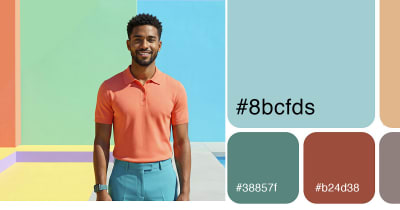 Color palette generatorPull HEX, RGB, CMYK, and Pantone codes from any image
 Contrast checkerCheck color contrast for accessible, readable designs
 Convert DOC to PDFTurn any Word document into a print ready PDF instantly
 Business card makerCreate custom business cards and download print ready files
 Sticker sheet makerArrange your designs and print custom sticker sheets
 Sticker makerDesign custom die cut stickers in any shape from your artwork
 Instagram name makerTurn your Instagram handle into a custom sticker in seconds


